Video Editing Software: Usability And Features
Understanding the Basics of Video Editing Software
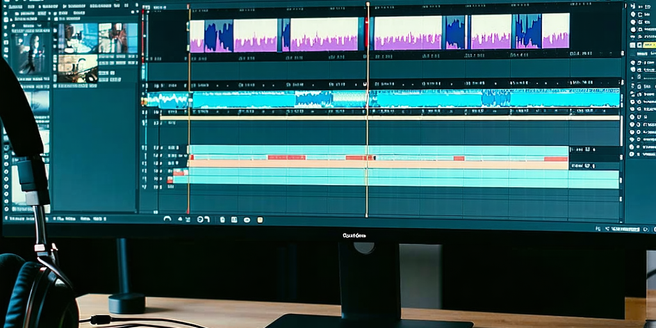
Video editing software allows users to manipulate and rearrange video footage. The basics involve understanding the timeline interface, where you organize clips and manage transitions. Clips can be trimmed, cut, and spliced to create the desired narrative flow. Editing software offers a variety of tools such as color correction, audio balancing, and layering effects to enhance the visual and auditory elements of the video. Getting comfortable with keyboard shortcuts and navigation within the software can significantly improve efficiency. Choosing the right software often depends on personal or professional needs, hardware compatibility, and learning curve. Beginners might prefer user-friendly interfaces that simplify complex tasks, allowing them to focus on storytelling rather than technical details. Starting with basic software and gradually advancing can often be an effective approach.
Comparing User Interfaces: Ease of Use
User interface plays a pivotal role in video editing software, as it determines how intuitively a user can execute tasks. While some software offers a minimalist interface that is perfect for beginners, others may provide a multitude of functions that can be overwhelming at first. Ease of use is essential since it impacts a new user’s initial experience and learning curve. Tools should be easily accessible and logically organized. Drag-and-drop functionalities and clear labeling of tools help streamline the editing process. Compare preview windows, timelines, and menu navigations among different software to see which aligns best with your workflow. Ultimately, the best choice balances comprehensive feature sets with an accessible user interface, enabling both novice users and seasoned professionals to carry out their tasks efficiently.
Key Features to Look for in Video Editing Tools
When selecting video editing tools, it’s crucial to consider features that align with your project needs. Essential features include support for various video formats, multi-track timeline editing, and powerful transitions and effects. Advanced options such as 3D editing, motion tracking, and background rendering can cater to more demanding editing tasks. Additionally, robust color grading options and audio editing capabilities enhance production quality. Cloud storage integration allows for collaborative work and flexibility, while export options in different formats ensure compatibility across platforms. Accessibility of updates and plugins is vital for keeping the software current. Evaluating whether the software supports real-time previews and GPU acceleration can also help enhance performance, allowing for smoother and faster editing, making it valuable for meeting tight deadlines.
Advanced Editing Capabilities for Professionals
For professionals demanding high-level flexibility and precision, advanced editing capabilities are a must. Features such as multi-cam editing, which allows the incorporation of footage from multiple cameras seamlessly, enhance project quality. Professional software often includes motion graphics tools and advanced color grading options, offering deeper creative control. The ability to edit 360-degree videos and support for VR integration expands capabilities, catering to emerging technology trends. Advanced audio editing features are also crucial, providing multi-channel mixing and surround sound capabilities. Efficient media management tools within these programs streamline workflows by organizing large asset libraries effectively. The availability of customizable keyboard shortcuts allows pros to personalize and speed up their editing process. Mastery of these advanced tools and features equips professionals to produce high-caliber, visually compelling projects.
Cross-Platform Compatibility and Integration
Cross-platform compatibility is increasingly important in video editing as editors often work on multiple devices. Software that supports macOS and Windows, and even iOS and Android to some degree, offers greater flexibility. Integration features allow seamless transitions between desktop and mobile editing sessions, enhancing productivity. Additionally, compatibility with plugins and third-party applications, such as stock footage providers and audio libraries, further expands a project’s potential. Cloud storage solutions associated with editing software ensures that collaboration is streamlined and assets are accessible anywhere, anytime. Furthermore, the ability to integrate with social media platforms for direct uploads can save valuable time for content creators and marketing teams. Evaluating cross-platform compatibility and integrations helps ensure that the software will efficiently support both current and future project scopes.
Evaluating Customer Support and Community Resources
Solid customer support is crucial when choosing video editing software. Comprehensive support includes thorough documentation, tutorials, and an active user community. Users should have access to responsive support teams to troubleshoot issues or guide through complex features. Active online forums and communities offer a platform for sharing tips, resolving problems, and gaining insights from seasoned users. A vast library of video tutorials can bridge learning gaps, allowing users to fully leverage software capabilities. Frequent updates and an expansive FAQ section can further enhance user experience, providing information on new features and common issues. Assessing the support structure and community resources associated with the software ensures that users are not only choosing a tool but gaining access to a network that fosters learning and growth, essential for lasting satisfaction.