Usb-c Hubs For Connectivity Solutions
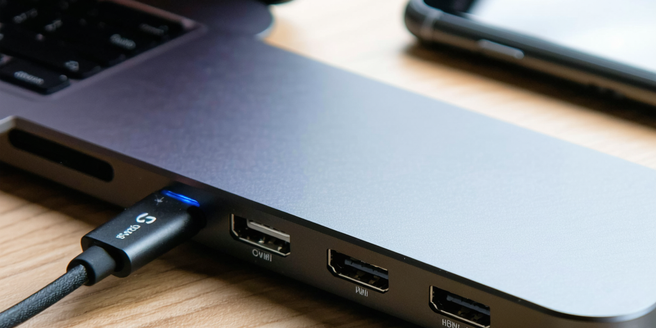
Understanding USB-C Technology
USB-C technology represents a significant advancement in connectivity solutions, offering unprecedented versatility and speed. Its reversible connector design makes it user-friendly and enhances durability, reducing wear and tear. Capable of transferring data, power, and video signals through a single cable, USB-C simplifies device interfaces. This technology supports higher power delivery, enabling faster charging of devices from laptops to smartphones. USB-C’s compatibility with a variety of protocols like Thunderbolt and DisplayPort increases its utility across different devices and platforms. As more manufacturers adopt USB-C, it is progressively becoming the standard for modern devices, replacing older USB connections. Understanding USB-C is essential for leveraging its full potential in enhancing productivity and connectivity.
Key Features to Look for in a USB-C Hub
When selecting a USB-C hub, certain key features should be considered to ensure optimal functionality and compatibility. Look for a hub that offers multiple USB ports, including USB-A and USB-C, to connect a wide array of devices. HDMI and Ethernet ports are essential for video output and stable wired internet connectivity. Power delivery capabilities are crucial for charging laptops and other devices efficiently. Additionally, the hub should support high data transfer rates to facilitate quick file sharing. Compatibility with operating systems like Windows, macOS, and others ensures seamless integration. Durable construction and a compact design provide longevity and portability, making it convenient for on-the-go usage. These features collectively enhance the hub’s usability in various settings.
Top Benefits of Using USB-C Hubs
USB-C hubs provide numerous benefits, significantly streamlining device management and connectivity. They offer a one-stop solution for connecting various peripherals, minimizing clutter and maximizing workspace efficiency. The hubs elevate productivity through multiple port access, enabling simultaneous connection of devices such as keyboards, mice, external drives, and monitors. Enhanced data transfer speeds reduce waiting times when handling large files, boosting workflow efficiency. By supporting high-resolution video outputs, they are ideal for presentations and multi-monitor setups. USB-C hubs also facilitate better power management, with some models offering power delivery to charge your devices swiftly. Their versatility and compactness make them indispensable tools for both personal and professional environments. Overall, they enhance user experience by providing comprehensive connectivity solutions.
Comparing Popular USB-C Hub Brands
When comparing USB-C hub brands, it’s essential to evaluate various factors such as build quality, port variety, and compatibility. Brands like Anker, Satechi, and HyperDrive are renowned for their robust construction and reliable performance. Anker offers a wide range of affordable hubs with essential features, making them accessible for different users. Satechi focuses on premium design and quality, appealing to those seeking a more aesthetic accessory. HyperDrive is praised for its innovation and compact designs, often integrating unique features for Apple products. Differences in warranty and customer service also influence brand reliability and user satisfaction. Considering these aspects, users can choose a USB-C hub that best meets their functional needs and stylistic preferences.
How to Choose the Right USB-C Hub for Your Needs
Selecting the right USB-C hub necessitates assessing your specific requirements and device compatibility. Begin by identifying the number and type of ports you need, such as USB-A, USB-C, HDMI, or Ethernet. Consider the hub’s data transfer speed and power delivery capabilities, especially if charging devices is a priority. Ensure the hub is compatible with your operating system to avoid connectivity issues. Portability might be a consideration if you need to carry the hub regularly; hence look for a compact design. Lastly, budget constraints will impact your choice, with a range of affordable to premium options available. Evaluating these factors carefully will guide you to the USB-C hub that best supports your connectivity needs.
Troubleshooting Common USB-C Hub Issues
Encountering issues with USB-C hubs is not uncommon, but most problems can be resolved with simple troubleshooting steps. If the hub is not recognized, check the driver software and ensure it’s up-to-date. Reconnecting the hub or trying different ports might solve connectivity issues. For problems with charging or power delivery, confirm that the power adapter is compatible and provides sufficient output. Inconsistent data transfer can result from faulty cables, so test with an alternative cable. Device-specific issues may arise from incompatibility, requiring verification of system requirements. Regular updates to firmware or drivers can preempt many technical problems, while consulting the manufacturer’s support page often provides targeted solutions.