Digital Art Tools For Creators
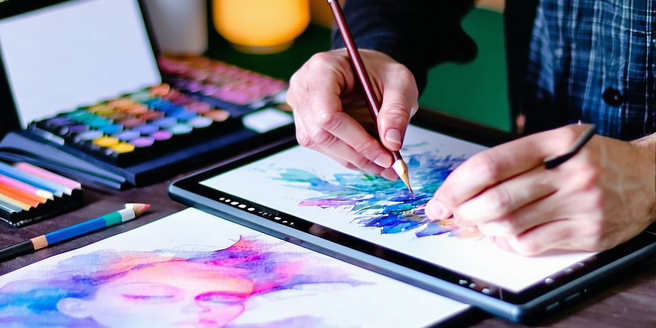
Exploring the Landscape of Digital Art Programs
Digital art programs offer an expansive array of tools tailored for artists at various stages. From intricate vector illustrations to complex raster paintings, these programs cater to diverse artistic needs. Programs like Adobe Illustrator and Photoshop have long dominated the field, offering comprehensive tools that allow the creation of high-quality artwork. Other notable programs include CorelDRAW, known for its robust vector editing capabilities, and Clip Studio Paint, popular among comic and manga artists. Beyond these industry giants, open-source alternatives such as Krita offer cost-effective solutions without compromising on functionality. As technology advances, these programs are increasingly equipped with features such as cloud synchronization, responsive touch interfaces, and integration with digital drawing hardware, making them indispensable in the modern artist’s toolkit. Whether professional or hobbyist, the landscape of digital art programs is both rich and varied.
Top Graphic Design Software for Beginners
For newcomers to graphic design, selecting the right software can be daunting. Simplistic yet powerful, Canva stands out as an excellent tool for beginners, offering a user-friendly interface alongside thousands of templates to choose from. For those looking to gradually delve into more intricate design work, Adobe Spark provides a nice introduction to Adobe’s suite of tools, featuring intuitive mobile and web-based design capabilities. Affinity Designer is another beginner-friendly option that facilitates ease of use with its comprehensive tutorials and active community support. Meanwhile, Gravit Designer Online is a feature-rich web-based alternative providing accessible design tools at no cost. Each of these programs not only fosters creativity but also aids in skill development, giving aspiring designers the confidence and competence to grow into more advanced design practices.
Advanced Illustration Tools for Professionals
For professional illustrators seeking a blend of precision, versatility, and innovation, advanced tools like Autodesk SketchBook and Procreate are indispensable. SketchBook offers an intuitive user interface with a full complement of brush types, rulers, and perspective guides. Its compatibility with Adobe products enhances its workflow fluency, providing seamless integration for those deeply rooted in the Adobe environment. Meanwhile, Procreate has set the standard for digital illustration on tablets, particularly the iPad, with its dynamic brush engine and extensive layer capabilities. These tools are complemented by features that include customizable workspaces and support for high-resolution files. As professionals push the boundaries of creativity, these sophisticated methods offer the robust functionalities necessary for producing complex, detailed compositions that stand out in the digital art realm.
Essential Digital Painting Applications
Digital painting applications have revolutionized the way artists create and express themselves. Programs such as Corel Painter offer a highly realistic painting experience with an extensive range of brushes that mimic traditional media. PaintTool SAI is popular for its simplistic interface and vibrant color output, making it ideal for digital painters focusing on anime and stylized art. Rebelle stands out with real-world simulation of paint behavior, allowing for a tangible interaction with digital canvas. Each of these applications provides an array of tools designed for those wishing to explore the depth of digital painting techniques, from layering and blending to texture creation. This variety allows artists of all proficiency levels to translate their creative visions into vivid, digital masterpieces, enhancing their digital artistry and expanding their creative horizons.
Choosing the Right Tablet for Your Art Style
Selecting the appropriate tablet can drastically impact an artist’s workflow and expression. Those who prefer detailed work and precision may favor the Wacom Cintiq, renowned for its superior pressure sensitivity and customizable shortcuts. The iPad Pro, equipped with the Apple Pencil, offers an exceptional screen display and portability, making it ideal for digital illustration on the go. Meanwhile, the Huion Kamvas line provides a cost-effective alternative for aspiring artists, without compromising on quality. Each tablet type caters to different artistic preferences and techniques, from sketching and painting to detailed graphic design. Understanding these nuances helps artists of all levels choose the right tool that complements their personal art style, enhancing their ability to create seamlessly in a digital environment.
Enhancing Creativity with AI-Driven Art Tools
AI-driven art tools are reshaping the creative process, offering artists unprecedented ways to experiment and innovate. Tools like DeepArt and Runway ML harness the power of neural networks to transform ordinary images into unique works of art with just a few clicks. Adobe’s Sensei AI powers features in their Creative Cloud suite, automatically adjusting image attributes to enhance quality and resolution. Furthermore, Artbreeder employs machine learning to blend artistic elements, allowing creatives to explore new aesthetics. These AI tools not only expedite routine tasks but also stimulate creativity, granting artists the freedom to explore uncharted territories of digital art. As AI continues to evolve, its synergy with art promises to expand, enabling new forms of expression and unlocking the artist’s potential.