Project Management Software For Coordination
Understanding the Need for Project Management Tools
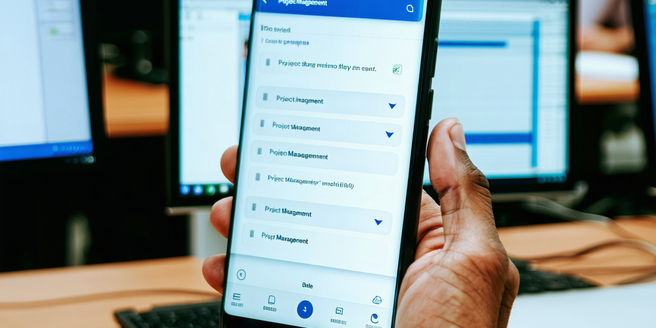
In the fast-paced world of business, project management tools have become indispensable. These tools help teams organize tasks, streamline processes, and ensure that projects are completed on time and within budget. Without them, businesses face inefficiencies, communication breakdowns, and missed deadlines. Effective project management tools provide a centralized platform where all team members can access project details, track progress, and communicate effortlessly. The right tool can also help identify bottlenecks, allocate resources more efficiently, and improve overall project transparency. As remote work becomes more prevalent, the need for digital solutions to manage teams working from different locations has become even more critical. Investing in project management software is no longer a luxury but a necessity for thriving in today’s competitive market, ensuring alignment and consistency in achieving goals.
Key Features to Look for in Software Solutions
When selecting project management software, it’s crucial to consider specific features that cater to your organization’s needs. Key features include task management, time tracking, and collaboration tools. Task management allows teams to create, assign, and monitor tasks, ensuring everything is on track. Time tracking helps teams gauge productivity and manage deadlines effectively. Collaboration tools, such as chat and file sharing, facilitate seamless communication among team members. Additionally, look for software with robust reporting capabilities to analyze project progress and make data-driven decisions. Integration with other tools your team uses can also enhance workflow efficiency. A user-friendly interface ensures adoption across the team, reducing the learning curve. Choosing a solution with customizable features can also tailor the software to your specific processes, maximizing its effectiveness.
Top Project Management Software Options in 2023
In 2023, several project management software options have emerged as top contenders. Notable among them are Asana, Trello, and Monday.com. Asana offers extensive task management features and a highly customizable interface. It’s ideal for teams seeking flexibility and advanced reporting. Trello excels with its intuitive, card-based system that simplifies task tracking and team collaboration. It’s perfect for visual learners who benefit from seeing all project elements at a glance. Monday.com stands out for its powerful automation capabilities, enabling teams to streamline repetitive tasks and improve efficiency. Additionally, platforms like ClickUp and Wrike offer comprehensive solutions that cater to various industries, from tech to marketing. Each of these options provides robust integrations and collaboration tools, ensuring teams have everything needed to manage projects effectively.
Benefits of Using Software for Team Coordination
Using project management software for team coordination offers numerous benefits. Firstly, it promotes transparency by providing a central platform where all team members can access and update project status. This visibility helps prevent misunderstandings and keeps everyone aligned toward common goals. Additionally, such software facilitates communication and collaboration, reducing email overload and ensuring team members can discuss and resolve issues in real-time. With task assignments clearly defined, team members understand their responsibilities, improving accountability and productivity. Advanced tools also allow for tracking of milestones and deadlines, helping teams stay on schedule and meet project objectives. Resource management features further contribute by optimizing workload distribution, preventing burnout, and ensuring efficient use of team talents. Overall, using software to coordinate projects enhances efficiency, morale, and success rates.
How to Choose the Right Tool for Your Project
Choosing the right project management tool requires careful consideration of your team’s needs and project requirements. Start by identifying the specific challenges your team faces and the functionalities necessary to address these issues. Evaluate different software options by looking into their features, ease of use, and compatibility with existing systems. Consider tools that offer flexibility and scalability to adapt to changing project dynamics. It’s essential to test the software with your team and gather feedback to ensure it meets expectations. Cost is another critical factor; analyze the pricing structure and total cost of ownership to avoid unexpected expenses. Lastly, assess the quality of customer support and available resources for training and troubleshooting. By doing so, you ensure a strategic investment that optimizes your project management processes.