Ideal Keyboard And Mouse Placement
Understanding Ergonomics: Why Placement Matters
Ergonomics is the science of designing workplaces and tasks to fit the user’s body, aiming to minimize discomfort and injury. Proper placement of your keyboard and mouse is crucial because it reduces strain on muscles and tendons, preventing conditions like carpal tunnel syndrome. Incorrect placement can lead to chronic pain or repetitive strain injuries. Good ergonomics improve posture, increase productivity, and promote overall health and well-being. The principle is to maintain a natural position where the hands and wrists are in alignment with the forearms. This minimizes twisting and tension. Prioritizing ergonomics helps in creating a sustainable work environment and enhances focus. By understanding the significance of ergonomics, individuals can take proactive steps to set up their workstations that are both comfortable and efficient.
Correct Height and Distance for Keyboards
The height and distance of your keyboard are key to maintaining good posture and preventing strain. Ideally, the keyboard should be placed at a height where your elbows are at a 90-degree angle, allowing your forearms to be parallel to the floor. This positioning supports the wrists and reduces strain. The distance should be such that you don’t have to stretch to reach the keys, usually aligning the keyboard’s ‘B’ key with your belly button. Maintaining this setup helps in ensuring that your shoulders are relaxed and not hunched. A keyboard placed too high or too low can cause shoulder or neck pain. Adjusting your chair and desk height can often solve these issues, ensuring that you type comfortably with minimal effort. A keyboard tray can also be used for achieving the correct height.
Optimal Mouse Positioning Techniques
Positioning your mouse correctly is essential to prevent fatigue and enhance precision. Ideally, the mouse should be close to the keyboard to minimize excessive reaching, which can cause shoulder strain. Your hand should float slightly above the mouse, allowing your wrist to remain straight and aligned with your forearm. Consider using a mouse pad with a wrist rest to support your wrist and keep it level. Adjust the sensitivity settings on your mouse to fit your comfort level, reducing the need for large movements. It’s beneficial to keep your mouse within easy reach, close to the edge of the desk. Ensuring your desk is not too cluttered also helps. Regularly switching the mouse to the other hand can prevent strain from prolonged use and contribute to a balanced ergonomic setup.
Adjusting Your Desk for Max Comfort
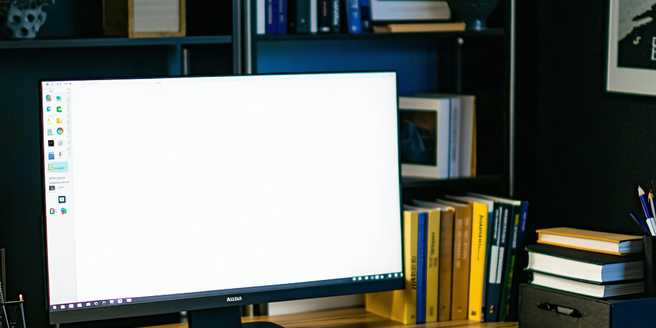
Setting up your desk for maximum comfort involves paying attention to several elements. Your desk should be at a height that allows your knees to fit comfortably underneath, with your feet flat on the ground or on a footrest. Monitor placement is crucial; it should be at eye level, about an arm’s length away, ensuring no strain on your neck. The desk space should accommodate your keyboard and mouse comfortably, promoting a neutral posture. Consider investing in an adjustable desk that allows switching between sitting and standing positions. This variation can prevent stiffness and promote better circulation. Organize your desk to minimize reaching, keeping essential items within easy reach. Adding personal touches, such as a plant or framed photo, can also enhance your work environment.
Common Mistakes and How to Avoid Them
Setting up your workspace without ergonomic considerations can lead to common mistakes that are harmful in the long run. One mistake is placing the keyboard or mouse too far from the body, causing reaching and straining shoulder muscles. Another is having your monitor at an improper height, leading to neck pain. Also, sitting for prolonged periods without changing position or taking breaks can result in stiffness and fatigue. To avoid these, maintain a straight alignment from head to torso, ensure your screen is at eye level, and take regular short breaks. Incorporate stretching or light exercises to keep muscles relaxed and promote circulation. Utilizing ergonomic furniture can also prevent these errors. By understanding and correcting these common mistakes, you can create a healthier and more productive work environment.