Visual Planning Tool: Miro
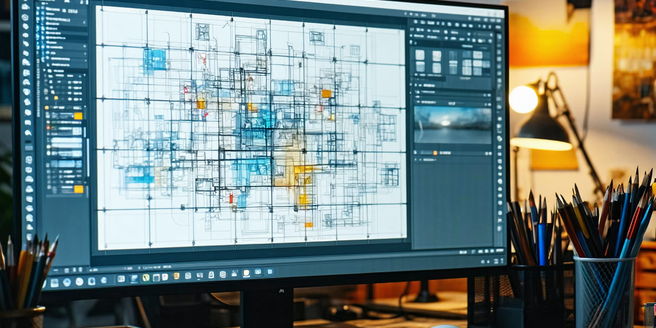
Exploring Miro’s Features and Capabilities
Miro offers a dynamic canvas that fosters creativity and collaboration among teams. Its core features include sticky notes, drawing tools, and robust templates that serve as foundational elements for brainstorming sessions. Miro’s infinite canvas is perfect for creating mind maps, flowcharts, and project plans. Collaboration is made seamless through real-time editing, comment functionality, and chat, allowing team members to share ideas and feedback instantly, regardless of location. Integrations with other popular tools, like Slack, Google Drive, and Jira, further amplify Miro’s scope, transforming it into a powerful hub for project management and development. The versatility of Miro’s features makes it an essential tool not only for designers and developers but for educators and marketers as well, facilitating varied use cases across different domains.
Benefits of Visual Planning with Miro
Visual planning with Miro offers numerous advantages, transforming complex information into digestible visuals that enhance understanding and retention. By using Miro’s boards, teams can create a unified visual representation of their projects, fostering alignment and ensuring that everyone is on the same page. This visual coherence reduces miscommunications and accelerates decision-making processes. Miro’s collaborative features enable stakeholders to contribute their ideas and solutions in real-time, boosting productivity and innovation. Additionally, Miro’s flexibility allows users to customize their boards to fit specific needs, making it an adaptable tool for diverse industries. The ability to visualize workflows helps in identifying bottlenecks and optimizing processes, ultimately leading to more efficient project execution and improved outcomes.
How to Get Started with Miro
Embarking on your Miro journey starts with creating an account and selecting the appropriate plan that fits your needs, whether it’s for personal use or team collaboration. Once registered, new users can explore Miro’s intuitive interface, beginning with ready-to-use templates available in the Miro library. These templates cater to various project needs, such as brainstorming sessions, planning workshops, and retrospectives. Familiarize yourself with basic tools, such as sticky notes and freehand drawing, to enhance your visual expression. Inviting team members to collaborate is simple; you can share your board with a unique link. As you become more comfortable, you can explore advanced features like integrations and automation to optimize your workflow. Getting started with Miro is straightforward, opening up endless possibilities for creative and effective planning.
Integrating Miro into Your Workflow
Integrating Miro into your existing workflow is a seamless process that enhances productivity and collaboration. Start by identifying the aspects of your workflow that can benefit from visual planning and brainstorming. Miro easily links with popular tools like Slack, Microsoft Teams, and Zoom, ensuring that communication remains uninterrupted. Use Miro’s boards to map out project timelines and goals, facilitating a clear visual perspective that supports strategic planning. The collaborative nature of Miro allows team members to input their ideas directly onto the boards, ensuring a variety of perspectives are considered. By incorporating Miro’s capabilities, including its real-time comment and feedback functions, teams can enhance their creative processes and optimize their project management strategies, resulting in more efficient and effective outcomes.
Tips for Maximizing Miro’s Potential
To maximize Miro’s potential, users should start by mastering its fundamental features, like the use of templates, sticky notes, and mind maps. Familiarity with keyboard shortcuts can streamline navigation and boost workflow efficiency. It’s beneficial to explore Miro’s integration options with tools your team already uses to enhance communication and productivity. Encouraging team members to utilize the comment and chat functions during collaboration sessions harnesses the platform’s full collaborative potential. Regularly updating and organizing boards ensures clarity and focus. Hosting regular training sessions can also keep the team abreast of new updates and features, ensuring your team leverages Miro effectively. Experimenting with different board layouts and visual elements is key to finding what works best for your team’s unique needs, fostering creativity and productivity.