Boost Productivity With Task Management Apps
Understanding Task Management Apps
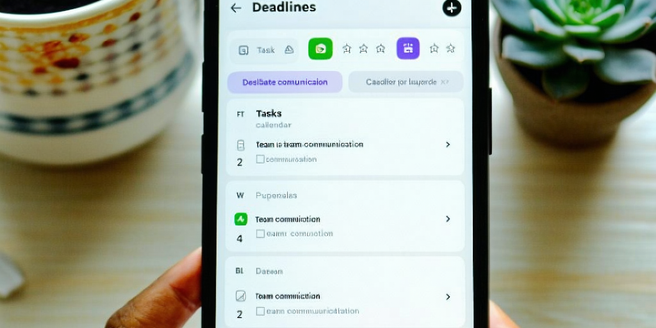
Task management apps are designed to help individuals and teams organize tasks effectively. These applications provide tools for creating, assigning, tracking, and prioritizing tasks in a digital format, often including features like deadlines, reminders, and collaborative spaces. Understanding their core function is essential to leverage their benefits fully. These apps can be standalone or part of a larger project management suite, aiding in breaking down large projects into manageable tasks. They serve not just to list tasks but to provide a structural hierarchy to workflow, allowing users to allocate resources more efficiently and track progress in real-time. For both personal and professional use, task management apps help ensure that responsibilities are completed on schedule and with the desired quality, fostering productivity and reducing the likelihood of oversight or miscommunication.
Key Features to Look For
When selecting a task management app, several key features should be considered to enhance productivity. Firstly, the user interface should be intuitive and easy to navigate, minimizing the learning curve for new users. Secondly, it should offer robust collaboration tools, such as shared to-do lists and real-time updates, which are essential for teams. Integration capabilities with other software like calendars and emails can streamline workflows and consolidate information. Additionally, customizable notifications and reminders ensure deadlines are met and tasks are prioritized correctly. Look for apps that support automation for recurring tasks to save time on routine activities. Lastly, consider the app’s compatibility with multiple devices and operating systems to allow access from anywhere. These features, when combined, create a seamless experience that can significantly improve task management efficiency.
Top Apps to Consider
With a plethora of task management apps available, choosing the right one can be daunting. Some top contenders include Todoist, Trello, and Asana. Todoist is renowned for its clean interface and powerful integration options, making it ideal for personal use and small teams. Trello, with its visual board system, excels in project organization through cards, lists, and boards, perfect for those who benefit from seeing tasks laid out visually. Asana combines task management with team communication, offering robust tools for larger teams to collaborate efficiently. Each app offers unique features, so understanding your specific needs is crucial. Consider trial versions to explore features without commitment. Ultimately, the best app is one that aligns with your workflow, provides necessary features, and enhances productivity while respecting simplicity and user experience.
Integrating Apps into Your Workflow
Integrating task management apps into your daily routine requires strategic planning to maximize their benefits. Start by identifying repetitive tasks that can be automated or simplified within the app. Use its features to set up project categories that reflect your work priorities, ensuring alignment with overall goals. Encourage team members to adopt the app, creating a standardized platform for task assignments and progress tracking. Regularly update the status of tasks to maintain an accurate overview and facilitate smooth collaboration. Consistency is crucial, so dedicate specific times to review and plan your tasks within the app. A well-integrated app acts as a central hub for your workflow, reducing the reliance on memory and potential for error. This strategic incorporation can streamline processes, maintain focus, and ultimately boost productivity.
Maximizing Productivity with App Strategies
To harness the full potential of task management apps, it’s vital to adopt strategies that align with personal and professional objectives. Start by setting clear and achievable goals for each task or project. Break down larger tasks into smaller, manageable subtasks to avoid feeling overwhelmed. Prioritize tasks by deadlines and importance using the app’s priority features, ensuring critical activities receive the attention they need. Leverage the app’s analytics to analyze productivity trends and identify areas for improvement. Encourage a routine that includes regular reviews of completed tasks to acknowledge achievements and recalibrate future goals. Customize your alerts to minimize distractions, and ensure your workflow remains uninterrupted. By using these strategies, apps become more than just tools; they transform into vital components of a productivity-enhancing ecosystem that supports focused and efficient task completion.