Time Management Apps
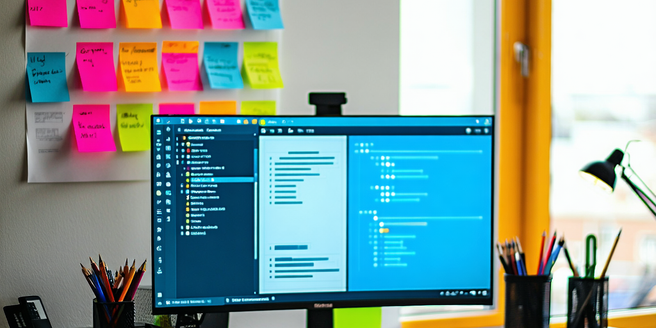
Understanding the Benefits of Time Management Apps
Time management apps are essential tools for enhancing productivity and efficiency in both personal and professional settings. These applications assist users in organizing tasks, setting priorities, and allocating time effectively. With features such as reminders, deadlines, and calendars, these apps ensure that important tasks are not overlooked. By providing visual insights into how time is being spent, users can identify areas for improvement and streamline their workflows. The automated nature of these apps also reduces the mental load associated with remembering tasks, thereby minimizing stress and improving focus. Ultimately, leveraging these tools can lead to a more balanced lifestyle, allowing individuals to spend more time on meaningful activities and less on time-consuming, mundane tasks. In essence, time management apps foster a disciplined approach towards task completion, ensuring that goals are achieved in a timely manner.
Key Features to Look for in Time Management Tools
When selecting a time management tool, it’s crucial to consider features that align with your needs. An intuitive user interface is a must, ensuring ease of use and seamless navigation. Look for customization options that allow you to tailor the app to your specific workflow, such as adjustable notifications and color-coded task categories. Integration capabilities are also important, as they enable the app to sync with calendar systems or project management tools already in use. Additionally, the ability to track time spent on tasks can provide valuable insights into productivity patterns. Cloud-based functionality is beneficial for accessing tasks across multiple devices. Finally, check for collaboration features if you work in a team setting, as these allow for shared task lists and real-time updates. Choosing a tool with these key features can significantly enhance productivity and task management.
Top Time Management Apps for Productivity
There are several time management apps available that have proven to be highly effective in boosting productivity. One popular choice is Todoist, known for its robust task management features and seamless collaboration capabilities. Another noteworthy app is Trello, which utilizes boards and cards to help users visually organize their tasks and projects. For those who prefer a more traditional calendar approach, Google Calendar offers powerful scheduling functions alongside integration with other Google services. Forest is a unique app that encourages focus by planting virtual trees, which grow as users stay away from their phones. For professionals seeking comprehensive time tracking, Toggl provides detailed reports and insights. These apps, among others, cater to different preferences and needs, ensuring that there is a suitable option for everyone looking to optimize their daily productivity and time management.
How to Choose the Right App for Your Needs
Selecting the right time management app requires careful consideration of your specific needs and preferences. Start by identifying your primary goals, whether it’s scheduling, task tracking, or improving focus. Evaluate the compatibility of the app with the devices you frequently use to ensure seamless access and synchronization. Consider the tool’s user interface; a clutter-free, intuitive design can significantly impact your experience. Budget is another factor; while some apps offer free basic features, premium options might provide advanced functionalities. Additionally, review user ratings and feedback to gauge reliability and performance. Ensure that the app supports any necessary integrations with tools you currently use. Trial periods or demos can offer a practical glimpse into the app’s capabilities. By weighing these factors, you can choose an app that effectively caters to your time management needs.
Tips for Maximizing App Efficiency in Daily Tasks
To maximize efficiency with time management apps, start by consistently updating and reviewing your task list; this ensures no important tasks are overlooked. Harness the power of notifications and reminders to keep you on track, and customize these settings to avoid overwhelming alerts. Set realistic deadlines and prioritize tasks to optimize daily productivity. Utilize features such as tags or categories to organize tasks and facilitate easier navigation. Regularly analyze productivity patterns through reports, if available, to identify and address inefficiencies. Collaboration features can also enhance teamwork and ensure seamless communication. Consider time-blocking techniques within your app to allocate specific timeframes for focused work. Finally, make it a habit to reflect on your completed tasks, adjusting strategies as necessary to continuously improve your efficiency. By implementing these tips, you can make the most out of time management apps in achieving daily goals.