Cable Management For A Neat Workspace
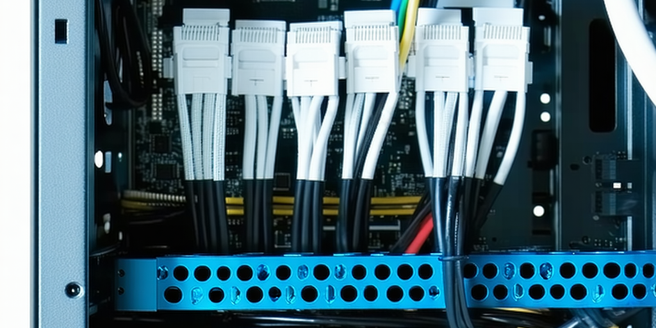
The Importance of Effective Cable Management
Effective cable management is crucial for a neat workspace. Not only does it improve the aesthetic appeal of your desk, but it also enhances functionality. Tangled cables can cause confusion and inefficiency, potentially leading to device damage if cords are improperly disconnected or pulled. A well-organized cable system allows for easy access when changes or maintenance are needed, reducing downtime. It also minimizes potential safety hazards, such as tripping over loose cords. Furthermore, a decluttered work area can significantly boost productivity and reduce stress, allowing you to focus better on tasks. Emphasizing cable management promotes better airflow to your devices, preventing overheating and extending their lifespan. Therefore, investing time in organizing your cables is a small effort that yields significant benefits for both safety and efficiency.
Essential Tools and Accessories for Cable Organization
Having the right tools and accessories is vital for effective cable management. Cable ties, often reusable, are a must-have for bundling cables neatly together. Velcro straps offer flexibility and are easy to adjust. Cable sleeves or tubes provide a clean look by enclosing multiple wires, making it easier to route them along walls or furniture. Cable clips or clamps help secure cables along desks or walls, ensuring they stay in place. Labeling your cables with tags will save time when identifying and reorganizing. Desk grommets are useful for guiding cables from the tabletop to avoid clutter. Using a cable management box can conceal bulky power strips and excess cable lengths, keeping them out of sight. Investing in these accessories ensures a tidy, efficient, and aesthetically pleasing workspace.
Step-by-Step Guide to Tidy Cable Arrangement
Arranging your cables neatly begins with unplugging all devices to understand what you’re working with. Start by sorting and untangling each cable. Next, group them by type or destination to keep related cords together. Use cable ties or Velcro straps to bind these groups securely. For a cleaner appearance, use cable sleeves or wraps to enclose multiple cables. Attach cable clips along the edges of your desk or wall to keep cords in place. Manage under-desk cables by using a tray or rack that can hold a power strip and excess cordage. Label each cable to ensure easy identification for future adjustments or replacements. Finally, regularly check your setup to ensure everything is still secure and tidy. This organized system will greatly enhance your workspace efficiency.
Creative Solutions for Hiding Cables in Plain Sight
Transforming unsightly cables into an invisible part of your décor is both an art and a science. Start by choosing furniture with built-in cable management features, such as hidden compartments or channels. Paint or decorate cable covers in the same color as your walls to help cords blend seamlessly. Use decorative boxes or jars for hiding power strips or chargers on visible surfaces. Mount cable clips behind pictures or around corners to conceal them effectively. Adding wall-mounted conduits or fabric panels can disguise cables as part of the room design. Alternatively, use decorative tape or cable raceways to align cables with architectural features. Get creative with routing and camouflage to make your workspace both functional and visually appealing without unsightly cables disturbing the aesthetics.
Maintaining and Updating Your Cable System
Consistently maintaining the cable system in your workspace is essential for long-term organization. Start by performing regular checks to ensure that cables are securely fastened and there is no wear on them. Faulty cables can cause unexpected downtime and troubleshooting delays. Keeping an inventory of your cables can be helpful if you need to replace one quickly. Update your cable management plan by incorporating new technologies or integrating additional devices. Keeping extra cable ties, labels, or sleeves handy ensures that your system can adapt with minimal disruptions. Take note of any changes made so that returning to your previous state is easy if needed. Routine maintenance avoids the frustration and inefficiency of managing a chaotic cable setup, ensuring a reliable and functional workspace.
Common Mistakes to Avoid in Cable Management
In cable management, several common mistakes can lead to inefficiencies and hazards. Avoid using makeshift solutions like twisting cables too tightly with conventional wire or rubber bands, as it can damage the cables. Do not allow cables to drape loosely on surfaces where they can be easily snagged. Failing to label cables will complicate troubleshooting and upgrades later. Avoid overloading power strips, which can pose fire risks. Ignoring cable lengths by coiling them up excessively under desks is unsightly and can lead to more tangles. Keep power and data cables separate to prevent interference. Regularly review and tidy your setup to prevent gradual deterioration into a mess. Being mindful of these common pitfalls ensures a safer and more effective cable management system that is easy to maintain and modify over time.