Software For Remote Team Task Coordination
Benefits of Using Task Coordination Software
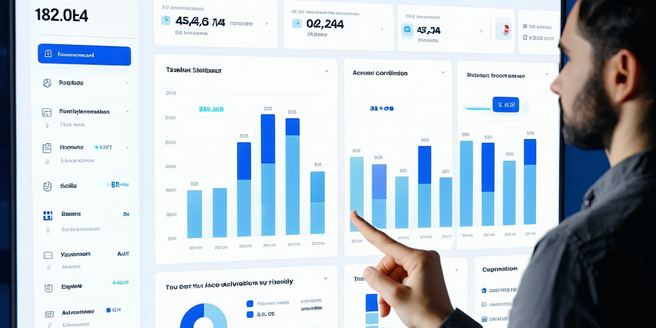
Task coordination software offers numerous benefits for remote teams. It centralizes tasks, allowing team members to have a single view of all activities. This builds transparency and accountability as everyone knows who is responsible for what task. These platforms often include features such as priority setting, deadlines, and progress tracking, enabling teams to remain organized and efficient. Additionally, task coordination tools facilitate better communication by offering integrated messaging and collaboration features, reducing the need for endless email chains. The right software can boost productivity by streamlining processes and eliminating bottlenecks, allowing team members to focus on their tasks. Overall, task coordination software helps in improving team collaboration, enhancing efficiency, and ensuring project success in a remote setting.
Key Features to Look for in Remote Team Tools
When choosing remote team tools, several key features should be prioritized. Firstly, user-friendly task management capabilities are crucial, enabling seamless assignment and tracking of responsibilities. Integration with other collaboration tools ensures smooth workflow continuity. Real-time communication features, like chat and video conferencing, are essential for maintaining effective team interactions. Cloud-based accessibility ensures that team members can access information from anywhere, fostering a truly mobile work environment. Security features, including data encryption and user authentication, safeguard sensitive information. Analytics and reporting tools provide insights into team performance and project progress, facilitating informed decision-making. Lastly, customization options allow the software to be tailored to meet specific team needs, enhancing its usability and effectiveness.
Top Software Options for Remote Teams
Choosing the right software for remote teams can significantly boost collaboration and productivity. Popular options like Asana, Trello, and Monday.com provide intuitive task management functions, enabling teams to assign, track, and prioritize tasks seamlessly. Communication tools, such as Slack and Microsoft Teams, offer chat, video conferencing, and file sharing, keeping team members connected. Tools like Zoom and Google Meet simplify virtual meetings, while cloud-based solutions like Google Workspace and Microsoft 365 facilitate document collaboration and storage. Each platform has unique features, and the best choice depends on the specific needs, size, and workflow of your team. By selecting the right tools, remote teams can enhance efficiency, ensure alignment, and achieve their project goals.
Integrating Task Coordination Software into Your Workflow
Successfully integrating task coordination software into your workflow requires careful planning and execution. Start by assessing your team’s current processes and identifying areas that could benefit from automation and improved organization. Choose a software that aligns with your team’s needs and can integrate seamlessly with existing tools. Train team members to ensure they fully understand the software’s capabilities and potential improvements it can bring to their workflow. Establish clear guidelines on how to use the software for task assignment, deadline management, and collaboration. Encourage feedback and make adjustments based on practical usage. Regularly review the software’s impact on productivity and make necessary adjustments to optimize its benefits. This thoughtful integration leads to improved efficiency and team satisfaction.
Common Challenges and How to Overcome Them
Implementing task coordination software often brings about several challenges. Teams may face resistance to change due to unfamiliarity with new tools. To overcome this, businesses can provide adequate training and involve team members in the selection and onboarding process, making them feel invested. Technical issues, such as compatibility with existing systems, can be hurdles. Ensuring thorough testing and seeking solutions that offer integration capabilities can mitigate such problems. Additionally, managing data security is crucial; opt for software with robust security measures. Miscommunication due to an over-reliance on digital tools might occur, which can be solved by maintaining a balance between digital and traditional communication methods. By actively addressing these challenges, organizations can ensure successful adoption and use of task coordination software.
Future Trends in Remote Task Coordination Software
As technology evolves, so does task coordination software. Artificial intelligence and machine learning are set to revolutionize these tools, offering predictive analytics to forecast project timelines and automatically prioritize tasks based on past performance. The rise of mobile-first applications provides remote workers with seamless access to tasks on-the-go. Additionally, enhanced integration capabilities with other business systems will ensure smoother data flow, improving overall enterprise efficiency. There is also a growing emphasis on user experience, with intuitive interfaces and personalized dashboards becoming standard. Collaboration will be further enriched with augmented reality tools, offering virtual meeting spaces. Security advancements will continue, with biometric logins and end-to-end encryption becoming more common. These trends indicate a future where task coordination is more efficient, intuitive, and secure than ever before.