Tech Wellness Gadgets
Wearable Devices for Stress Management
Wearable devices for stress management are revolutionizing personal wellness. These gadgets, such as smartwatches and fitness bands, now come equipped with features like heart rate monitoring, sleep tracking, and guided breathing exercises. They offer a holistic approach to managing stress by providing real-time data on one’s physical state, enabling users to recognize stressors early and take proactive measures. Moreover, some devices use biometric data to offer personalized relaxation techniques. For individuals seeking solace in a hectic world, these wearables act as a virtual health coach, encouraging a balance between work and personal life. By fostering mindfulness and integrating seamlessly into daily routines, they help users manage stress more effectively. With advancements in technology, wearable stress management tools continue to evolve, offering improved accuracy and more comprehensive stress-reduction solutions.
Smart Home Solutions for Better Sleep
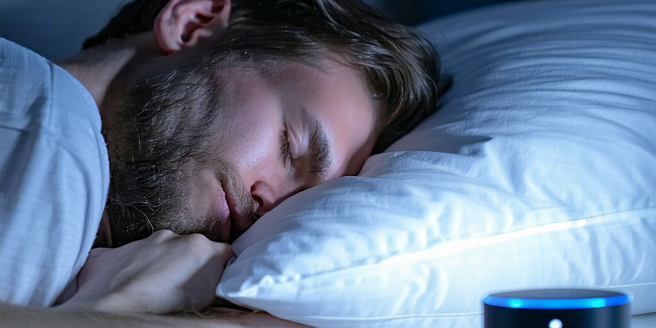
Smart home technologies are paving the way for better sleep. Devices such as smart lights and thermostats work in tandem to create optimal sleeping environments by adjusting lighting and temperature based on personal preferences. Additionally, smart beds and mattresses offer personalized settings, tracking sleep patterns, and providing insights into sleep quality. These advancements aim to reduce disturbances and promote uninterrupted rest by tailoring sleep conditions to individual needs. Meanwhile, smart speakers or apps can play calming sounds or guided meditations to ease the transition into sleep. By addressing the factors that disrupt sleep, smart home solutions are not just improving sleep quality but also overall health and well-being. As these technologies become more sophisticated, their potential to enhance sleep through personalized, data-driven insights continues to grow.
Health-Tracking Apps and Devices
Health-tracking apps and devices are significant players in the wellness landscape. These tools collect data ranging from daily steps and heart rate variability to diet and sleep patterns. Users gain insights into their health metrics, helping to foster healthier habits and informed lifestyle choices. Many devices offer personalized feedback, setting achievable wellness goals and tracking progress over time. Meanwhile, mobile apps allow seamless integration with other smart health devices, creating a comprehensive health monitoring ecosystem. This ecosystem empowers users to engage actively with their health, promoting preventative care and early detection of potential health issues. As technology advances, these health-tracking solutions are becoming more sophisticated, providing even more precise and actionable health data for users to leverage in their wellness journeys.
Mindfulness and Meditation Technology
Mindfulness and meditation technology are becoming increasingly vital in the pursuit of mental tranquility. Apps and devices offer guided meditations, breathing exercises, and mindfulness reminders, allowing users to cultivate a state of calm amidst daily distractions. Many technologies provide personalized meditation sessions adapting to individual progress and preferences. Wearables such as EEG headbands offer real-time feedback on users’ mental state, helping to refine meditation practices. By synergizing traditional mindfulness practices with technological advancement, these tools make meditation accessible to a broader audience and encourage consistency in practice. As meditation technology evolves, it innovates the way mindfulness is approached, offering a personalized, data-driven path to mental well-being, which is essential in navigating the complexities of modern life.
Tools for Digital Detoxing
In the digital age, tools for digital detoxing are increasingly essential. These tools encompass apps and devices designed to limit screen time, reduce distractions, and promote a healthier relationship with technology. Apps that track and restrict usage of social media or other digital services help users recognize and alter their habits. Devices like digital detox boxes allow individuals to physically lock away their phones for a preset period, encouraging focus and presence. Utilizing these tools fosters mindfulness, encouraging a balanced digital consumption that prioritizes mental and emotional health. As awareness of the impact of digital overload grows, the market for tools that facilitate digital detoxing is expanding, providing varied solutions that cater to personal habits and preferences, ultimately leading to improved well-being.