Optimizing Wi-fi For Smart Tvs
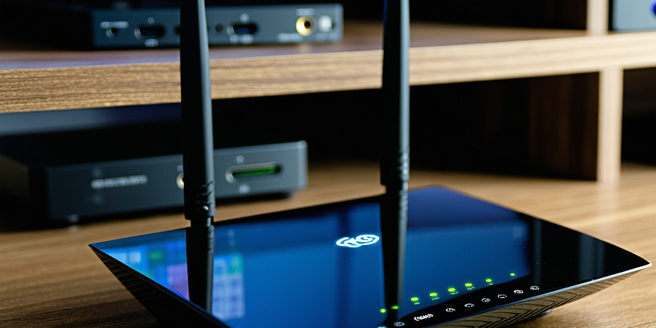
Understanding Your Smart TV’s Wi-Fi Needs
Smart TVs require stable and fast internet connections to stream content effectively. Understanding these needs is crucial to optimizing your TV’s performance. Smart TVs often support the latest Wi-Fi standards, such as 802.11ac or 802.11ax, which offer faster speeds and better coverage. It’s important to connect to a 5GHz band for high-speed connections, as this band is less crowded and offers more bandwidth compared to 2.4GHz. Assessing your home’s Wi-Fi coverage and understanding limitations like interference from walls or other devices can help. Furthermore, ensuring your Smart TV’s firmware is updated can improve connectivity. With these insights, you can ensure smoother streaming, faster downloads, and overall better performance from your Smart TV’s Wi-Fi connection.
Choosing the Right Router for Optimal Performance
Selecting the correct router is vital for superior Wi-Fi performance with your Smart TV. A dual-band or tri-band router offers flexibility in managing connections and reducing congestion. Look for routers with advanced technologies like beamforming, which focuses the Wi-Fi signal directly at connected devices, enhancing speed and reliability. Additionally, check if the router supports the latest Wi-Fi standards, such as Wi-Fi 6 (802.11ax), which provides faster speeds and better capacity management. The number of devices in your network also matters; routers with higher bandwidth capabilities can handle multiple connections smoothly. Investing in a high-quality router can significantly improve streaming quality, reduce buffering times, and ensure a more consistent and enjoyable experience when using your Smart TV.
Positioning Your Router for Maximum Coverage
The placement of your router significantly impacts the Wi-Fi coverage and strength throughout your home. Position the router in a centralized location to extend the Wi-Fi signal evenly to all areas, including where your Smart TV is located. Avoid placing the router near thick walls or metal objects, which can obstruct and weaken the signal. Elevating the router on a shelf or mounting it on a wall can enhance coverage. Consider using extenders or mesh networks if some areas still experience weak signals. These devices can amplify the Wi-Fi coverage and eliminate dead zones, ensuring that your Smart TV receives a strong and stable connection, which is crucial for uninterrupted streaming and efficient performance.
Configuring Wi-Fi Settings for Best Results
To achieve the best Wi-Fi performance for your Smart TV, properly configuring the router’s settings is essential. Start by selecting the appropriate Wi-Fi channel; use tools to scan for the least congested channel in your area, especially if you’re on a 2.4GHz band. Enable both 2.4GHz and 5GHz bands to offer flexibility, but prioritize connecting the Smart TV to the 5GHz band for faster speeds. Secure your network with a strong password using WPA3 encryption if available, or WPA2 as a more widely supported option. Regularly update your router’s firmware to benefit from the latest performance improvements and security features. These adjustments can significantly enhance streaming quality and provide a stable connection for your Smart TV.
Troubleshooting Common Wi-Fi Issues with Smart TVs
If your Smart TV experiences Wi-Fi issues, several troubleshooting steps can help restore optimal performance. Start by restarting the TV and router to resolve any temporary glitches. If connectivity is unstable, ensure the TV is within range of the router and consider repositioning the device or router for better signal strength. Check for firmware updates on your Smart TV, as updates often include connectivity improvements. If the problem persists, reset the TV’s network settings and reconnect it to the Wi-Fi, ensuring the correct network and password are used. In cases of persistent issues, exploring network diagnostics options on the TV or consulting the user manual can provide additional solutions. These steps can help maintain a smooth and reliable streaming experience.