User Interfaces In Wireless Earbuds
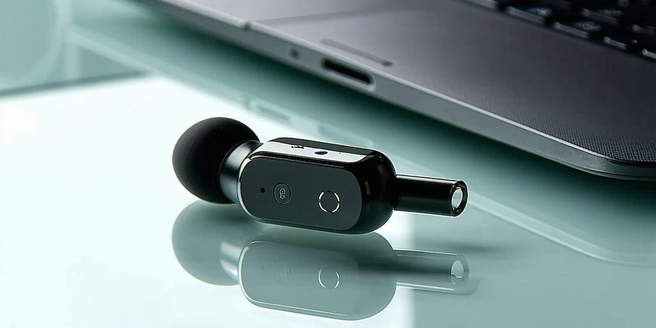
The Evolution of Earbud User Interfaces
The journey of earbud user interfaces has been transformative. Originally designed with simple buttons to switch between songs or adjust the volume, the earbuds have evolved significantly. With the advent of technology, the traditional button interface made way for touch-sensitive surfaces which offered intuitive control at fingertips. Bluetooth technology further enabled wireless experiences, eliminating the need for cumbersome cords. The focus has always been on minimizing the impact on design while maximizing functionality. As user expectations grew, interfaces adapted, offering seamless integration with smart devices. The result is a feature-rich interface that supports a range of inputs without compromising aesthetic sleekness. Modern earbuds now seamlessly combine tactile, auditory, and visual cues to enhance the user experience.
Touch Controls: Enhancing User Interaction
Touch controls have revolutionized the way users interact with earbuds. Initially, user interfaces on earbuds were limited to simple button presses. However, the development of capacitive technology transformed these interactions into more intuitive experiences. Users now have the ability to tap, swipe, or long-press directly on the earbuds, simplifying tasks such as answering calls, playing music, or invoking voice assistants. These controls not only streamline user actions but also promote a hands-free experience, allowing seamless multitasking. Consequently, touch controls have become integral to enhancing user interaction by providing tactile feedback and improving accessibility. As manufacturers continue to refine this technology, touch controls are expected to become even more responsive and adaptable to varied user needs and preferences.
Voice Commands: Hands-Free Control
Voice commands have significantly advanced hands-free interaction capabilities in wireless earbuds. Initially emerging as a niche feature, they have rapidly grown to become a staple in modern earbuds, offering unparalleled convenience. Utilizing sophisticated voice recognition technologies, these commands enable users to perform tasks such as adjusting the volume, skipping tracks, or checking notifications, all without needing to reach for a phone. This hands-free control is crucial for situations where manual operation is impractical, such as during exercise or while driving. Not only do voice commands enhance safety, but they also employ natural language understanding to offer an intuitive user experience. As the technology matures, it promises greater accuracy, faster processing, and broader language support.
Gesture Recognition: A New Era
Gesture recognition represents a groundbreaking shift in how users engage with wireless earbuds. By interpreting physical movements, this technology enables control without directly touching the device, offering novel interaction possibilities. Initially popular in gaming, gesture recognition has been adapted for personal audio use to cater to the growing demand for intuitive and seamless controls. Through built-in sensors, earbuds can now detect head nods or shakes to execute commands such as answering or rejecting calls, enhancing user convenience. This hands-free control also promotes hygiene by reducing the need for touch, which is a prominent advantage during active or strenuous activities. As this technology evolves, it is set to expand further, providing a dynamic and interactive user experience.
Customization and User Experience
Customization has become an essential aspect of the user experience in wireless earbuds. As technology has advanced, users now desire the ability to modify settings such as sound profiles, touch controls, and voice assistant preferences to suit their personal tastes. This demand for personalization is driven by the need for products that can adapt to various use cases, whether for immersive gaming, music enjoyment, or hands-free communication. By offering customizable features, manufacturers can provide a more tailored experience that boosts satisfaction and engagement. Moreover, the associated apps allow for seamless updates, introducing new capabilities and improvements over time. This emphasis on customization not only enriches the user experience but also fosters brand loyalty.